Compare renewal tracking options before you settle for manual admin.
Spreadsheets, calendars, notes, and memory can all track renewal dates — but they were not built specifically for subscriptions, contracts, bills, policies, categories, reminders, and recurring renewals.
See how TrackMinder compares with common renewal tracking methods.
Choose a comparison below to understand where manual tools work, where they become difficult, and where TrackMinder gives you a more focused workflow.
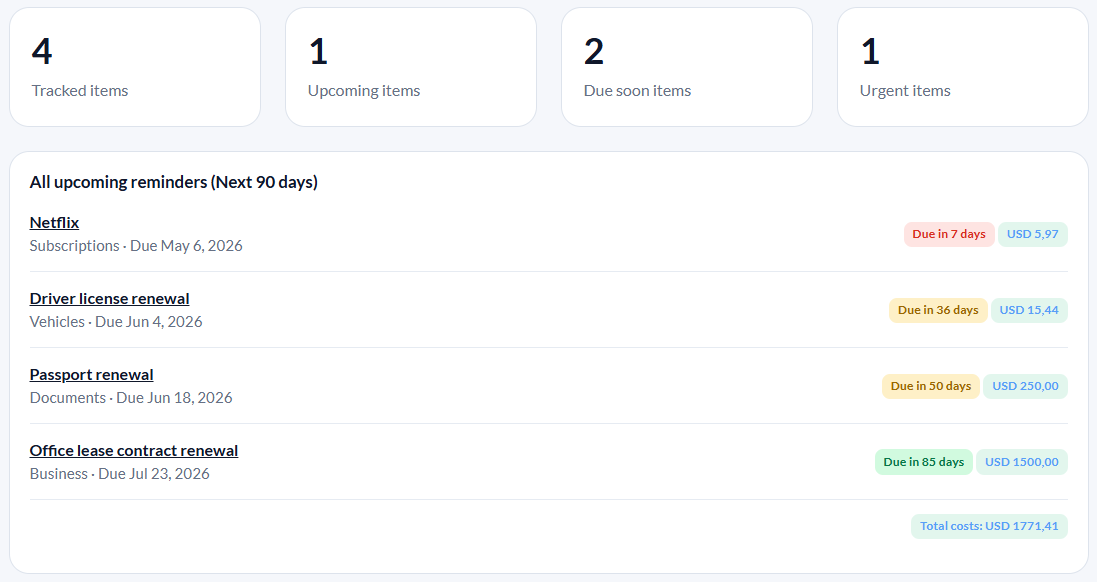
TrackMinder is built around the renewal workflow.
Instead of forcing renewals into spreadsheets, calendar events, notes, or inbox reminders, TrackMinder gives you a purpose-built place for dates, costs, categories, reminder rules, and upcoming renewal visibility.
Manual tools can track dates. TrackMinder helps you manage renewals.
The difference is not just where the date is stored. It is whether the system helps you review, organize, and act before the renewal happens.
| Need | Spreadsheets / calendars / notes | TrackMinder |
|---|---|---|
| Dedicated renewal dashboard | Usually scattered or manually built | Built around upcoming renewals |
| Reminder rules | Manual setup and upkeep | Reminder workflow designed for renewals |
| Categories | Possible, but often inconsistent | Organize renewals by type or purpose |
| Cost visibility | Requires manual columns and updates | Keep costs next to renewal dates |
| Review before renewal | Easy to forget without a workflow | Designed to help you act before due dates |
Move renewal tracking out of scattered tools.
Track subscriptions, bills, contracts, policies, documents, categories, costs, and recurring reminders from one focused dashboard.