TrackMinder vs manual renewal tracking.
Manual tracking can work when you only have a few dates to remember. But as subscriptions, contracts, bills, policies, documents, and recurring renewals multiply, important details start spreading across emails, notes, invoices, calendars, spreadsheets, and memory.
Manual tracking depends on you remembering to remember.
When renewals are scattered across different places, the system only works if you regularly check every place, update every detail, and act before the due date arrives.
Details get scattered
Renewal dates, costs, notes, categories, account details, and invoices often end up in different places.
Review windows get missed
Without a focused reminder workflow, it is easy to notice a renewal only after it has already happened.
Recurring dates need repeated effort
Manual systems often require you to recreate, update, or re-check the same reminders every cycle.
Manual tracking stores responsibility in your head. TrackMinder gives renewals a system.
The difference is whether important renewal dates rely on scattered habits, or live in one place designed for reminders, categories, dates, and review.
| Need | Manual tracking | TrackMinder |
|---|---|---|
| Dedicated renewal dashboard | Limited; details are usually spread across multiple places | Focused dashboard for upcoming and urgent renewals |
| Recurring reminder rules | Requires repeated manual follow-up and upkeep | Built for repeat renewal reminders and review windows |
| Categories | Usually inconsistent across notes, emails, and lists | Structured categories for renewal types and workflows |
| Email reminders | Depends on separate reminders, inbox searches, or memory | Designed to support renewal reminder notifications |
| Cost visibility | Often hidden in invoices, bank statements, or account pages | Keep costs connected to tracked renewal dates |
| Review before renewal | Relies on you checking everything at the right time | Focused on helping you act before renewal dates become urgent |
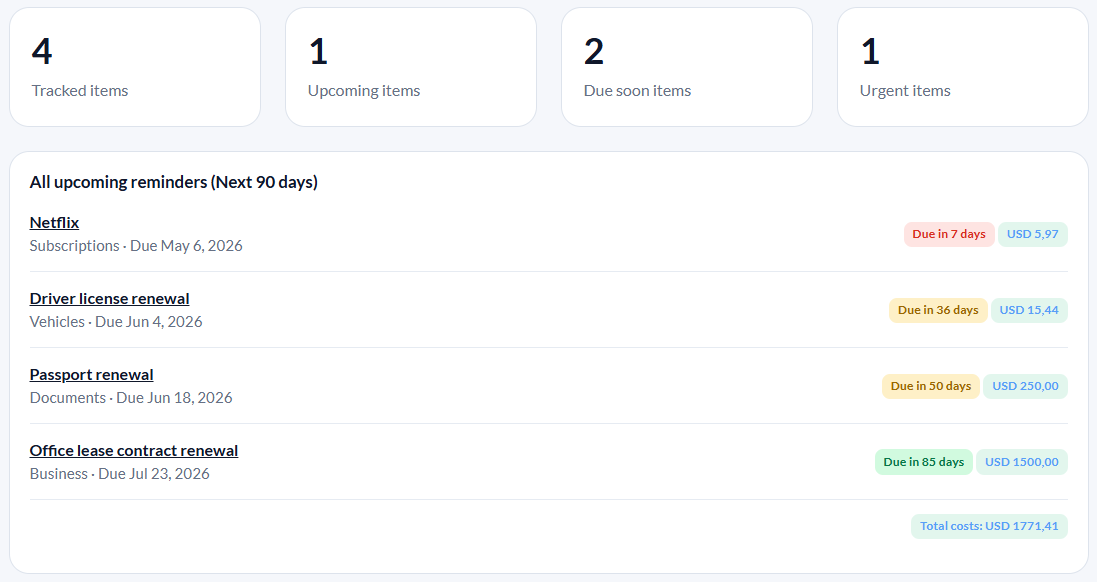
Move from scattered reminders to one renewal dashboard.
TrackMinder gives you one place to track upcoming renewals, due-soon items, urgent reminders, categories, costs, and recurring dates without relying on memory or separate tools.
Stop relying on memory to manage recurring renewal dates.
Track subscriptions, contracts, bills, documents, policies, costs, categories, and recurring reminders from one focused dashboard.