TrackMinder vs calendar reminders for renewal tracking.
Calendar reminders are useful for dates, but renewal tracking often needs more than a calendar event. TrackMinder gives you renewal-specific context like categories, costs, reminder rules, email prompts, and a focused dashboard.
Calendar reminders tell you when. They do not always tell you what to do next.
Calendar events are helpful for date-based alerts, but renewals usually need more context: what is renewing, what it costs, what category it belongs to, whether it repeats, and whether you should review, renew, cancel, or update it.
Calendar clutter grows quickly
Mixing renewal reminders with meetings, appointments, birthdays, and tasks can make important dates easy to miss.
Details get separated
Costs, categories, account details, renewal notes, and follow-up context often live outside the calendar event.
Renewal workflows are manual
Recurring calendar events can repeat, but reviewing renewal value, cost, category, and action still depends on you.
Calendars are date tools. TrackMinder is a renewal tracking workflow.
The difference is whether your system only reminds you that a date exists, or helps you manage the renewal before the date arrives.
| Need | Calendar reminders | TrackMinder |
|---|---|---|
| Dedicated renewal dashboard | Limited; renewal dates compete with other calendar events | Focused dashboard for upcoming and urgent renewals |
| Recurring reminder rules | Possible, but usually date-first and manually managed | Built around renewal reminders and repeat cycles |
| Categories | Manual labels or separate calendars may be needed | Structured categories for renewal types and workflows |
| Email reminders | Depends on calendar settings and event setup | Designed to support renewal reminder notifications |
| Cost visibility | Usually kept in the event notes or another tool | Keep costs connected to renewal reminders |
| Review before renewal | Requires you to interpret the event and take action | Focused on reviewing before renewal dates become urgent |
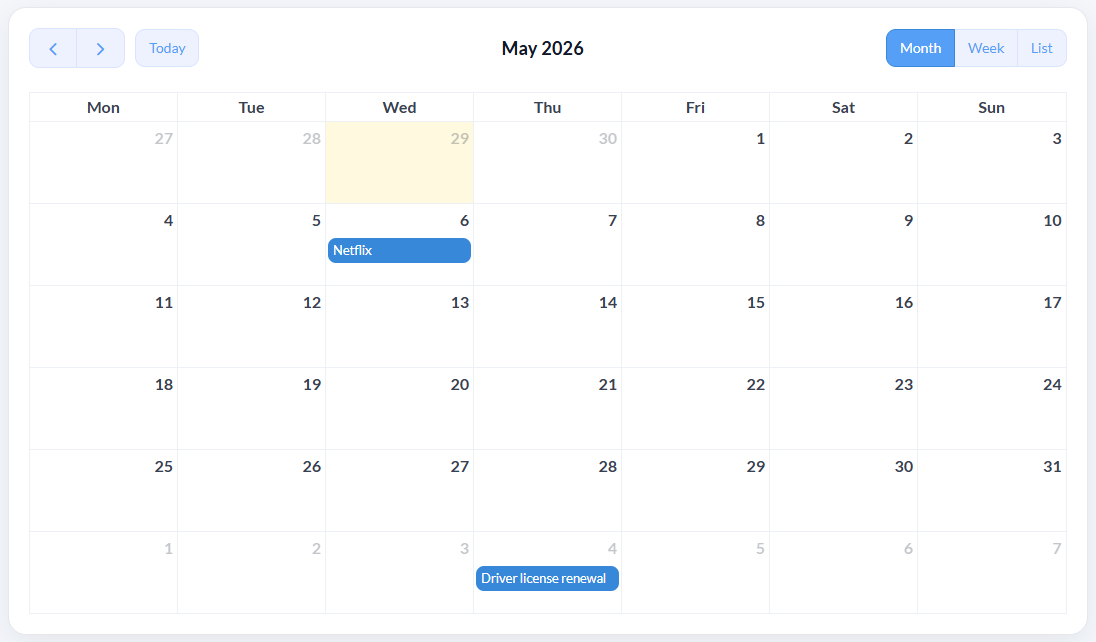
Keep the calendar view, but add renewal context.
TrackMinder gives you a calendar-style view of upcoming reminders while still keeping renewal-specific details like categories, costs, reminder timing, and dashboard visibility.
Move renewal reminders out of a crowded calendar.
Track subscriptions, contracts, bills, documents, policies, costs, categories, and recurring reminders from one focused renewal dashboard.